


No matching articles
Try a shorter search, or contact our team for help.
For Learners
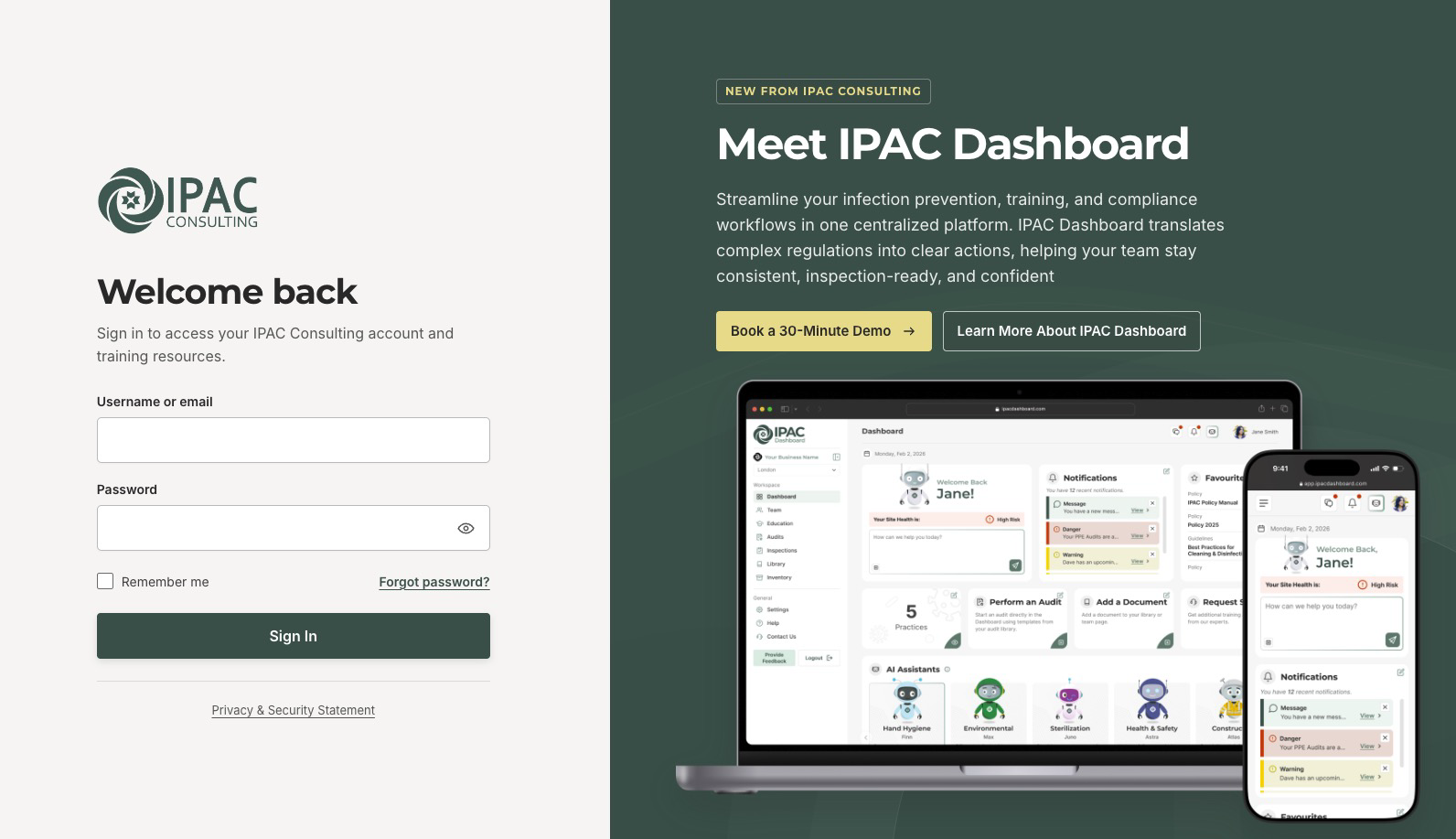
Log in to your account
Sign in to access your courses, certificates, and account details.
- Open the sign-in page.
- Enter the username or email address linked to your training account.
- Enter your password, then select Sign In.
Need help?
Forgot your password? Select Forgot password? below the password field. If your workplace enrolled you, please use the email address provided to your group leader.
For Learners
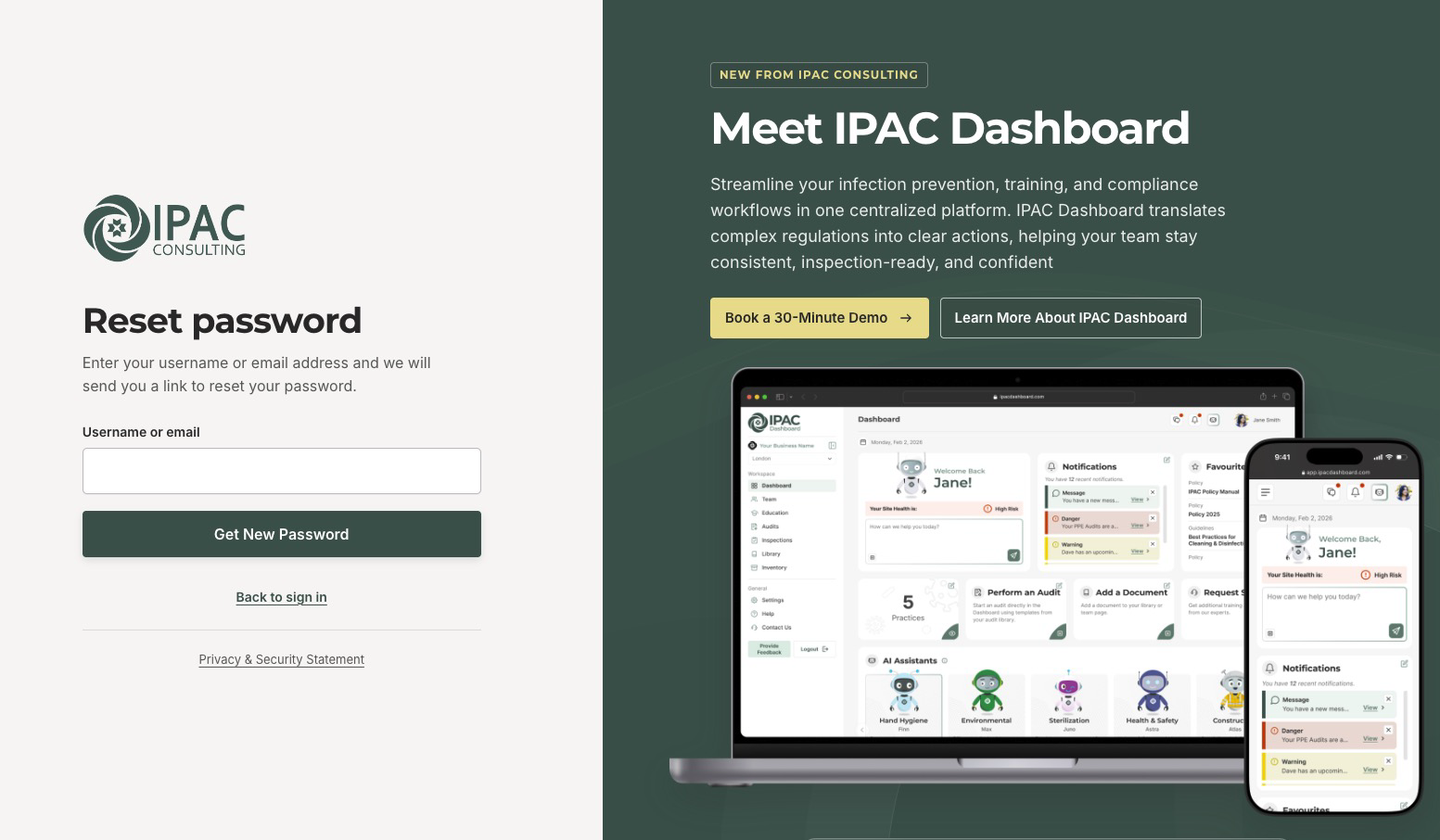
Reset your password
If you have forgotten your password, follow these steps to create a new one.
- Open the sign-in page.
- Select Forgot password?.
- Enter your username or account email address, then select Get New Password.
- Check your inbox for the reset email. If you do not see it, check your junk or spam folder.
- Open the link in the email, then enter and confirm your new password.
- Select Save New Password, then return to the sign-in page and use your new password.
Need help?
If the email does not arrive, please check that you entered the email address linked to your account. If the reset link has expired, request a new one.
For Learners
Access your courses
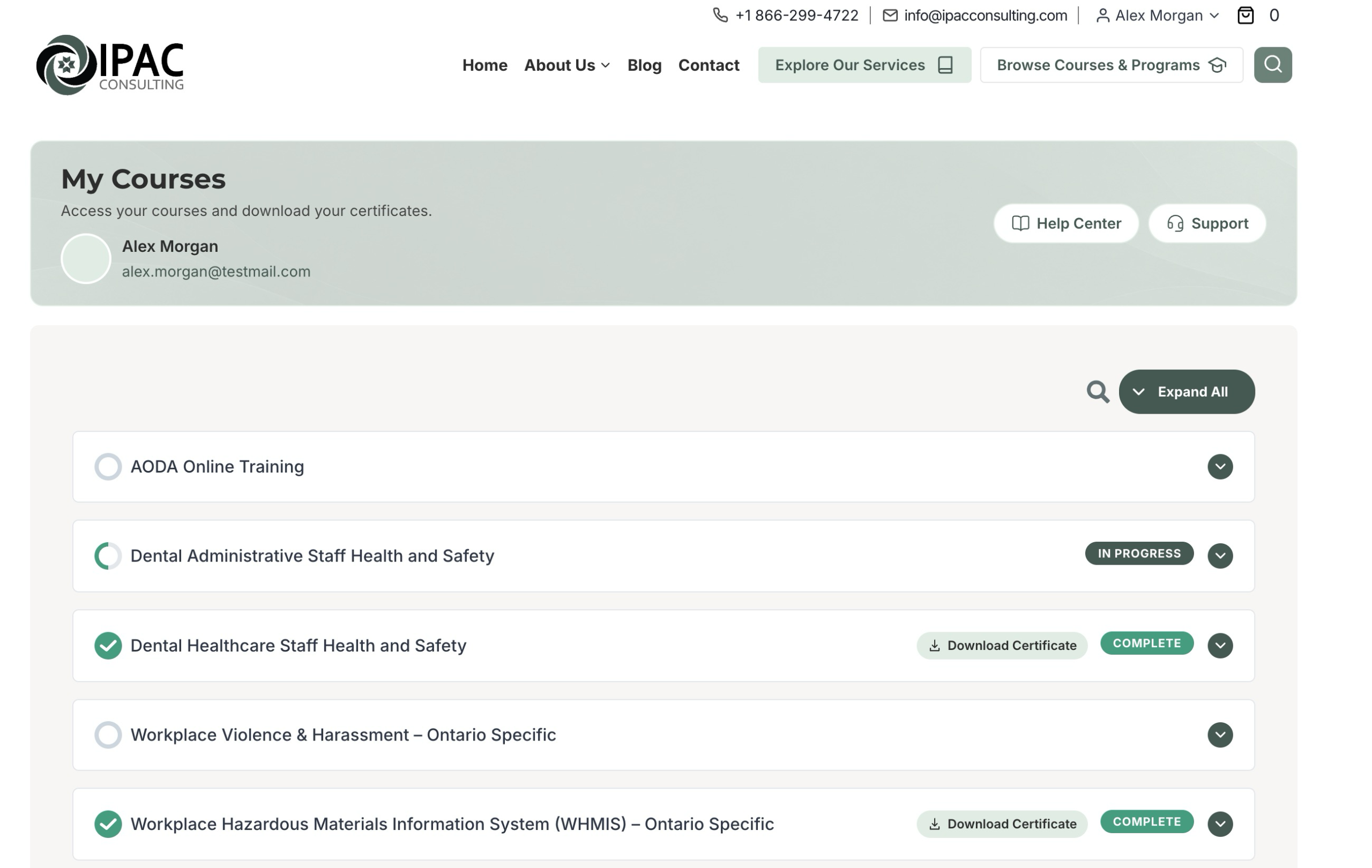
Your enrolled courses are available on your Student Dashboard.
- Sign in to your training account.
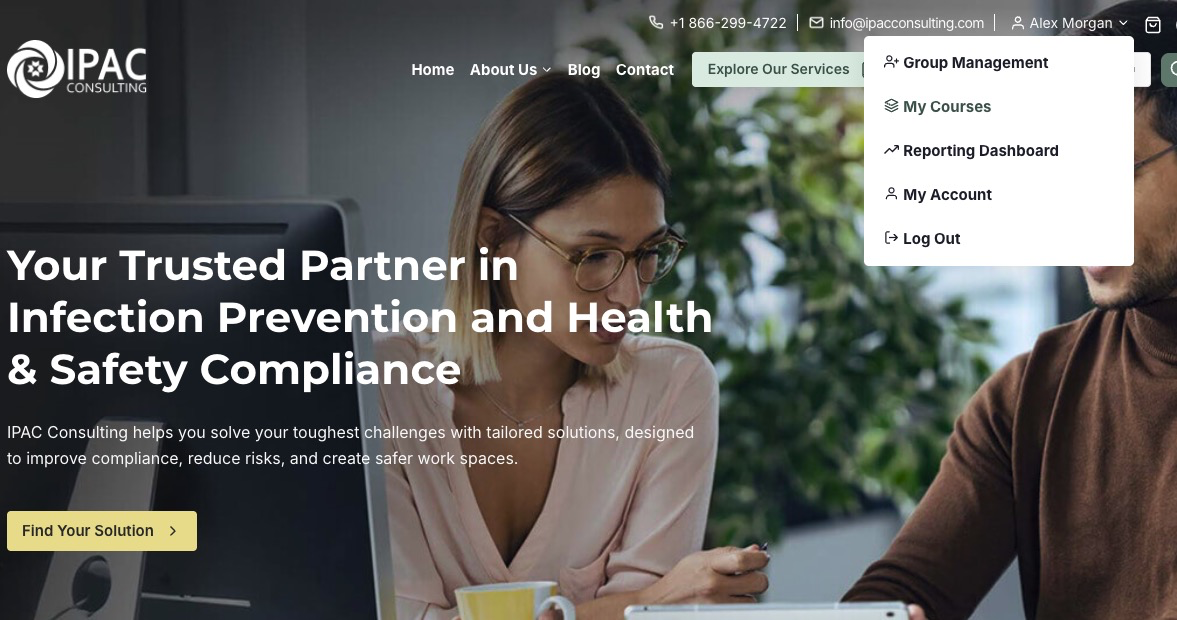
- Open the Student Dashboard. You can also hover over your name in the top navigation bar and select My Courses.
- Find the course you would like to take in your course list.
- Select the course title to open it.
- Choose your next available lesson to begin or continue your training.
Need help?
If a course is missing, please check that you are signed in to the account enrolled in that course. If your workplace arranged the training, ask your group leader to confirm your enrollment.
For Learners
Download your certificate
You can download your certificate once you have completed the required course activities and assessments.
- Sign in and open your Student Dashboard. You can also hover over your name in the top navigation bar and select My Courses.
- Find the course marked Complete.
- Select Download Certificate beside the Complete badge to download your certificate.

Receive your certificate by email
When you complete the course, your certificate is also sent to your account email address as a PDF. Please check your junk or spam folder if you do not see the email.
Need help?
If the certificate is unavailable, please confirm that the course is marked complete and that you have met any required passing score. Contact our team if you still need assistance.
For Learners
Manage your account
Sign in and open My Account to update your details, manage payment methods, or view your orders.
Change your name or email address
- Select Account details in the account menu.
- Update your first name, last name, or email address.
- Select Save changes.
Add a payment method
- Select Payment methods in the account menu.
- Select Add payment method, if available.
- Enter your payment details in the secure form.
- Select Add payment method to save them.
If the option to save a payment method is unavailable, you can enter your payment details during checkout.
View your orders
- Open Orders from the account menu.
- Find the order you would like to review.
- Select View to see its details and status.
If your group leader purchased your training, the order may be under their account. You can still access the courses assigned to your learner account.
Need help?
Please contact our team if you need help updating your account or locating an order.
For Group Leaders
Access group management
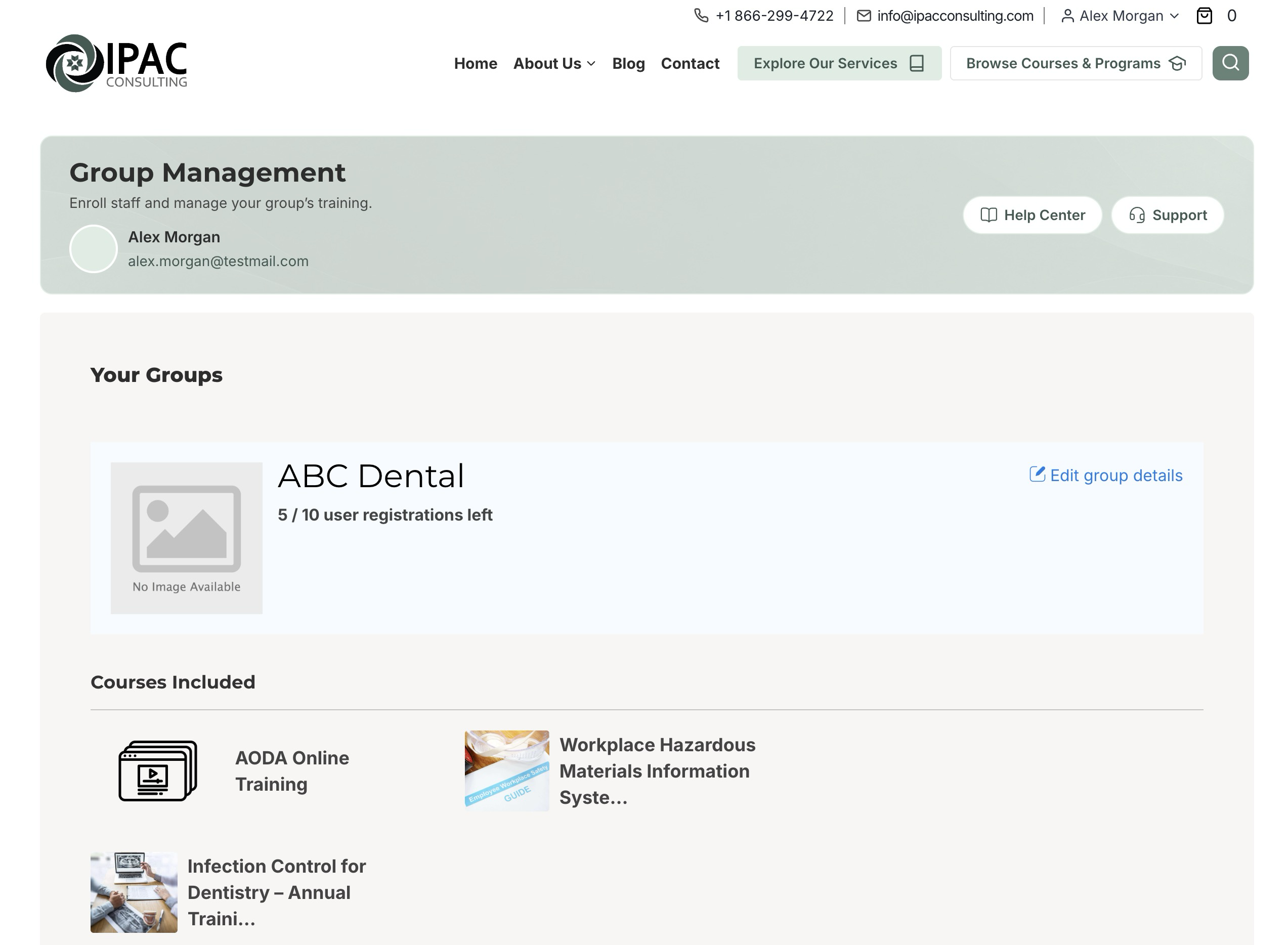
Group Management lets you review your staff, available seats, and assigned courses.
- Sign in using your group leader account.
- Open Group Management. You can also hover over your name in the top navigation bar and select Group Management from the dropdown menu.
- Select the group you would like to manage, if you have more than one.
- Review the staff enrolled in the group, the available seats, and the courses assigned to it.
Need help?
If your group is missing, please check that you are signed in using your group leader account. Contact our team if you need help confirming your group assignment.
For Group Leaders
Enroll a new staff member
Use Group Management to enroll staff individually or add several staff members at once.
Enroll a staff member
- Sign in using your group leader account and open Group Management.
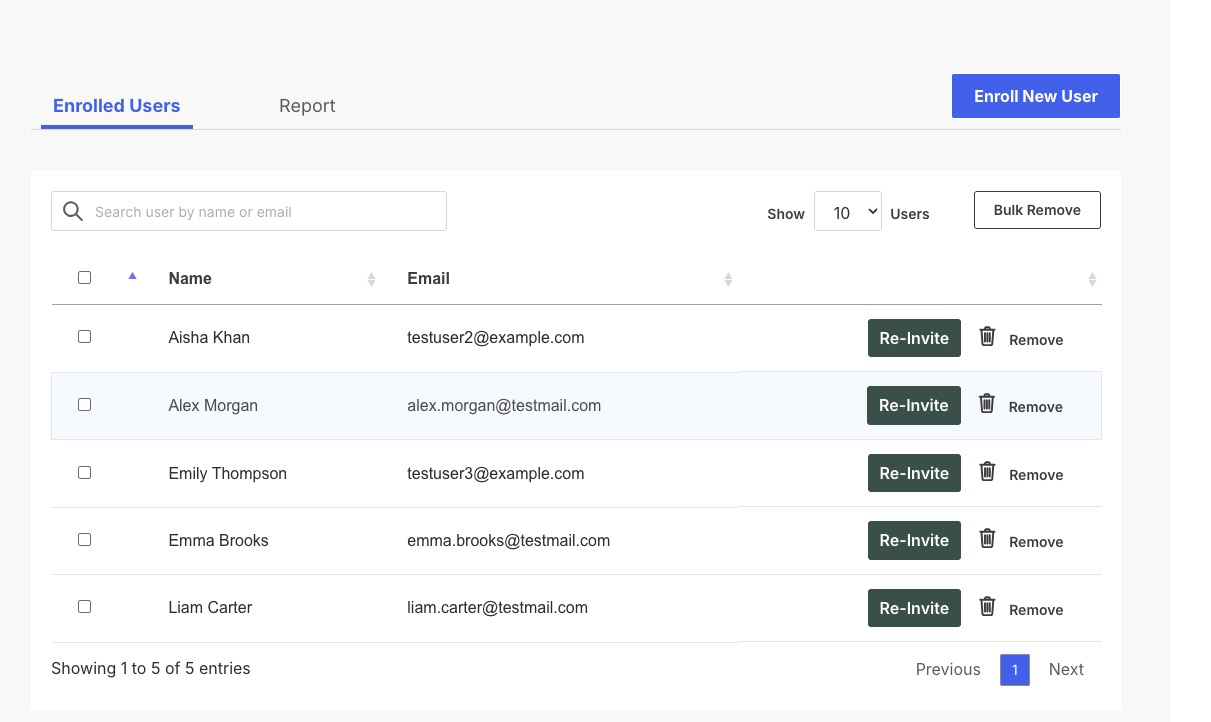
- Select the correct group and check that it has an available seat.
- Select the Enroll New User button.
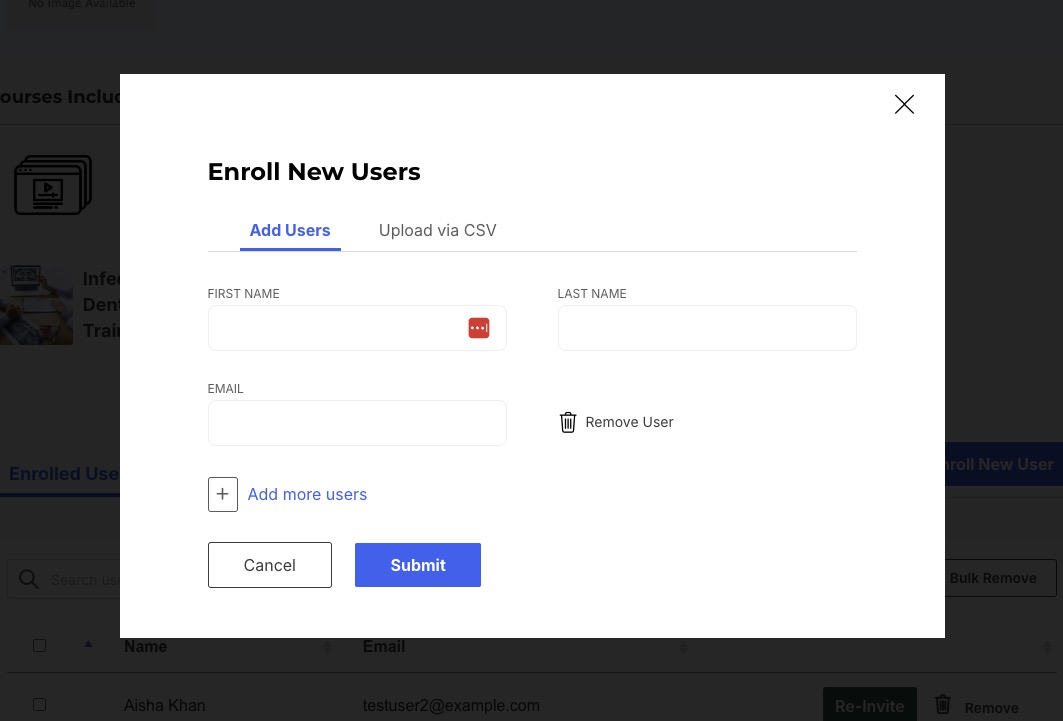
- Enter the staff member’s first name, last name, and individual email address.
- Submit the enrollment form.
- Check the enrolled users list to confirm that the staff member has been added.
Enroll multiple staff members
You can add several staff members in the enrollment form or upload a CSV file. Please check that the group has enough available seats for everyone you would like to enroll.
- Select Enroll New User to open the enrollment form.
- To enter staff details in the form, select Add more users for each additional staff member.
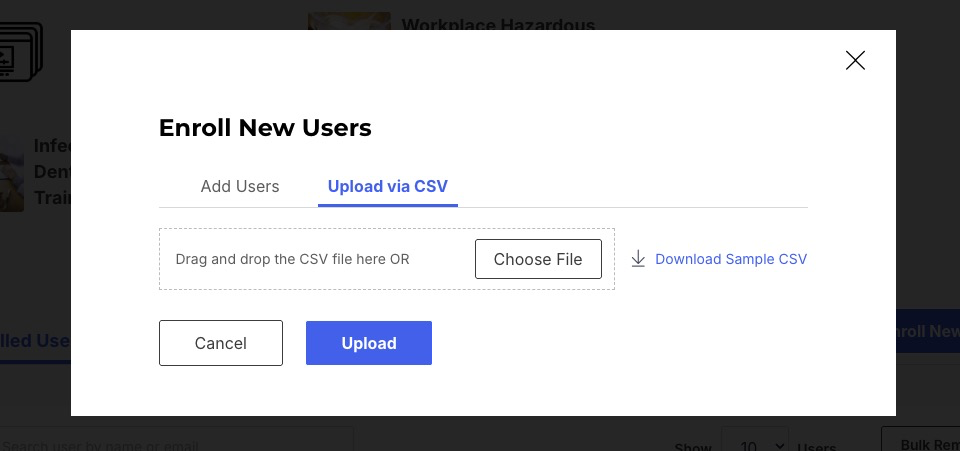
- Alternatively, select the Upload via CSV tab. Fill in the CSV template with your staff members’ details, then upload the completed file in that tab.
- Submit the form or CSV file, then check the enrolled users list to confirm that your staff have been added.
What happens after enrollment?
Each enrolled staff member receives a separate email. Staff who are new to the platform receive their login details. Staff who already have an account receive an enrollment confirmation email only.
Need help?
If the enrollment option is unavailable, please check your remaining seats. For staff who already have an account, use the email address linked to that account to avoid creating a duplicate.
For Group Leaders
Access the reporting dashboard
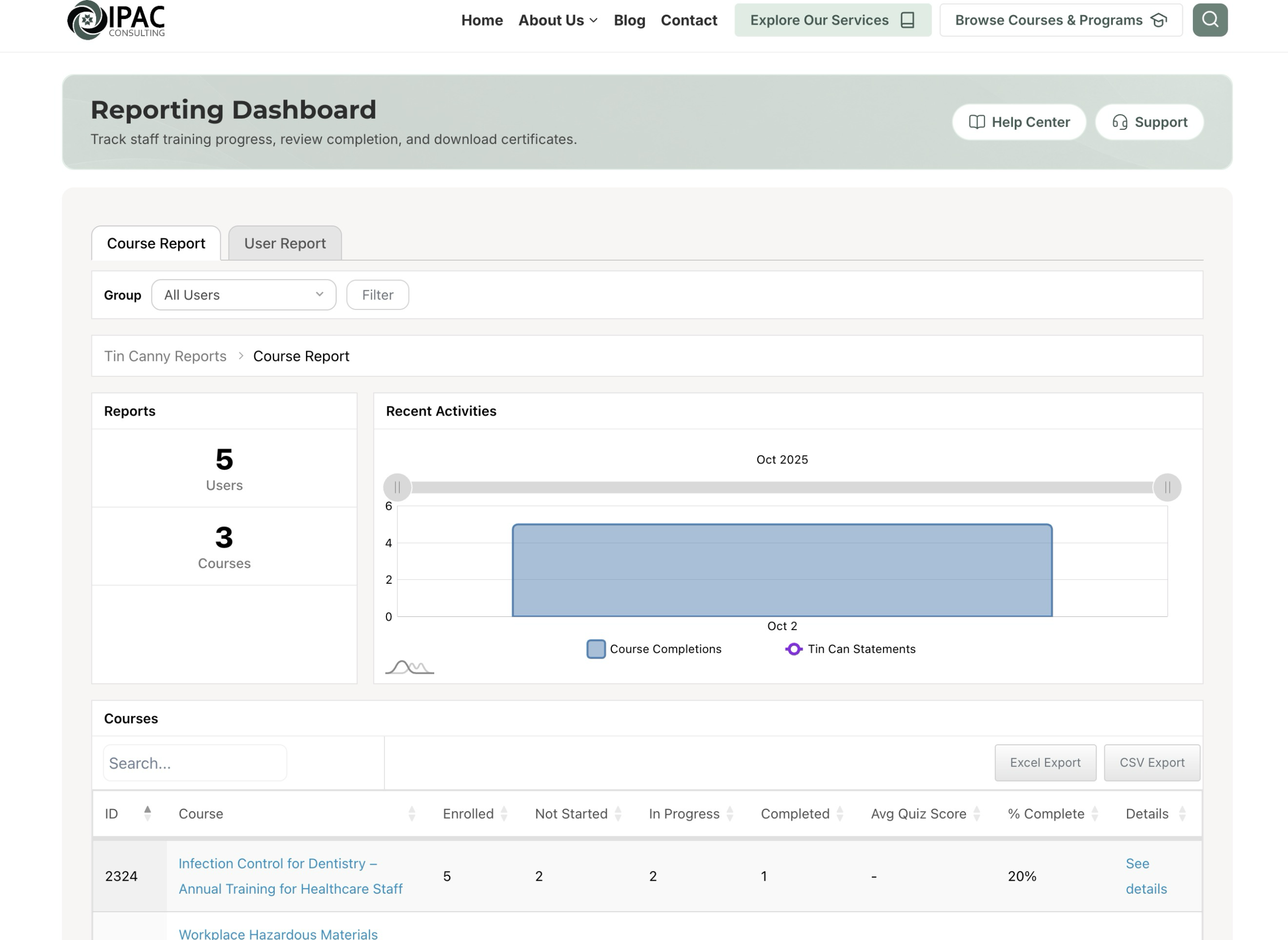
Use the Reporting Dashboard to review your staff’s training progress, completion, and available certificates.
- Sign in using your group leader account.
- Open the Reporting Dashboard.
- Use the available group and course filters to find the training you would like to review.
- Select a course or staff member to view the available progress and completion details.
- For completed training, use the available certificate control to view or download the staff member’s certificate.
Need help?
The reports show training recorded for your assigned groups. If a staff member is missing, please confirm their enrollment in Group Management.
Still need a hand?
Contact our team with your account email, course or group name, and a description of the issue. Please leave out passwords and unrelated personal information.